
Sync Music

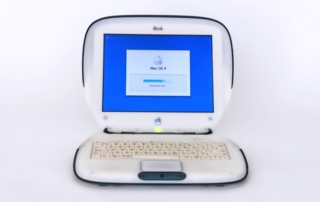
While Apple celebrates its 50th birthday this season, half that time has passed since it introduced iTunes. Initially, iTunes was just a music player that could import music users already had and sync music with the then brand new iPod. The iTunes Store opened a couple years later and Apple firmly planted its feet [...]

2026-03-09T15:56:50-07:00March 9th, 2026|Mac Mondays|

Screen Unknown Senders

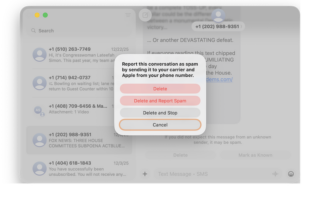
Are your messages overflowing with spam, political solicitations, and other texts from people you don’t know? Starting in OS 26, when you filter unknown senders, these messages stay out of your primary list. Plus, it’s now really easy to mark messages as spam, unsubscribe from legitimate promotions and ads, and delete both of these, [...]

2026-01-15T11:09:28-08:00January 12th, 2026|Mac Mondays|

Glyphs Galore

One thing you might notice upon upgrading to macOS 26 is Apple’s more thorough use of glyphs. There were already little pictorial icons next to sidebar listings and on toolbar buttons in various Mac applications. They also appear next to text elements on iPhone and iPad. Now, throughout macOS, glyphs precede menu items, too. [...]

2025-12-28T23:00:02-08:00December 29th, 2025|Mac Mondays|

Passcode Autofill

Apple first introduced passcode autofill way back in 2018 with iOS 12. The clever feature discovers a security code received in a text message, offers it on the iPhone keyboard, and fills it into a form field when the user selects it. One need not ever switch to Messages nor even view the text [...]

2025-12-14T22:29:32-08:00December 15th, 2025|Mac Mondays|

Search Messages

When you go to search Messages on your Apple device, do you tend to come up empty? The search function has grown greatly in OS 26 but it can still be finicky. Plus, it’s important to know where to start. It never occurred to me that users may have different approaches to search. However, [...]

2025-12-07T14:30:42-08:00December 8th, 2025|Mac Mondays|

Restart My iPhone

With iPhone, like many an electronic device, periodically something goes awry. The easiest fix: restart my iPhone. How you accomplish this feat, though, may depend on your agility and dexterity. As I outlined in When in Doubt, Restart, there is a particular method of pressing/holding buttons to force an iPhone or iPad to restart. Currently, [...]

2025-11-16T22:41:22-08:00November 17th, 2025|Mac Mondays|

Back to the Phone

Reflecting on past writings, I realize I’ve never dedicated a post to the Phone app. Two articles on the topic I’m most proud of are Announce Calls and Recent Calls, but neither really captures the glory of the predestined app. Previously, Phone was only available on iPhone and Apple Watch. The FaceTime app showed [...]

2025-10-26T22:47:59-07:00October 27th, 2025|Mac Mondays|
Go to Top